Once a hard drive is gone, there's no getting that data back, so save important files somewhere safe first, a cloud account, an external drive, or a USB stick all work.
How to Destroy a Hard Drive the Right Way
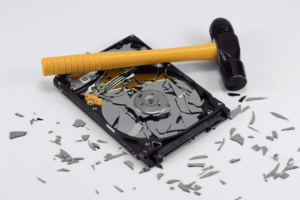
Simply deleting files or formatting a drive doesn't actually erase the data; most of it can still be recovered with the right tools. That's why, before recycling or tossing any device, it's worth making sure the hard drive is completely destroyed.
Back Up Before You Destroy Anything
Software Wiping vs. Physical Destruction
Software wiping overwrites data several times so it can't be recovered, a good choice if you plan to reuse or donate the drive. For absolute certainty, physical destruction is the way to go.
Remove the Drive and Gear Up
The hard drive is usually a rectangular metal box, easy to find once the case is open. Put on safety goggles and gloves before you start, since bits of metal can fly.
Hammer and Nail Method
Lay the hard drive on a concrete surface and drive a few holes straight through the metal casing to pierce the platters inside. Once those are cracked or shattered, the data on them is practically impossible to retrieve.
Drilling as a Neater Alternative
A power drill works just as well, with a few holes through different parts of the drive ruining the platters completely.
Recycle the Remains Properly
Once the drive is destroyed, many electronics stores and recycling centers accept the remains, always better than tossing metal in the trash.
It takes only a few minutes and guarantees private information stays private.
Got a handy tip of your own?
Reply and let us know, we love hearing your tips.
This edition is part of the Genius House Hacks archive: 20+ years of tips, rebuilt from the original Handy Hints newsletter. Browse more hacks →